

The Autopilot history shows, for one WhatsApp number, everything the autopilot of Decisions suggested and did in the last 30 days: what is still waiting for someone, what it applied on its own, and what your team accepted, dismissed or undid. From there you decide on several chats without opening each one.
Open it
- On the Decisions page of your number, click View history.
- On an automation's card, click 1 waiting (or the number waiting): the history opens on that automation only.
- In the inbox, click the clock next to the number switcher at the top. It shows when an automation of that number is on.
Needs action
The history opens on Needs action: the suggestions nobody has decided yet, and the ones someone accepted that could not be fully applied. The count next to it is how many.
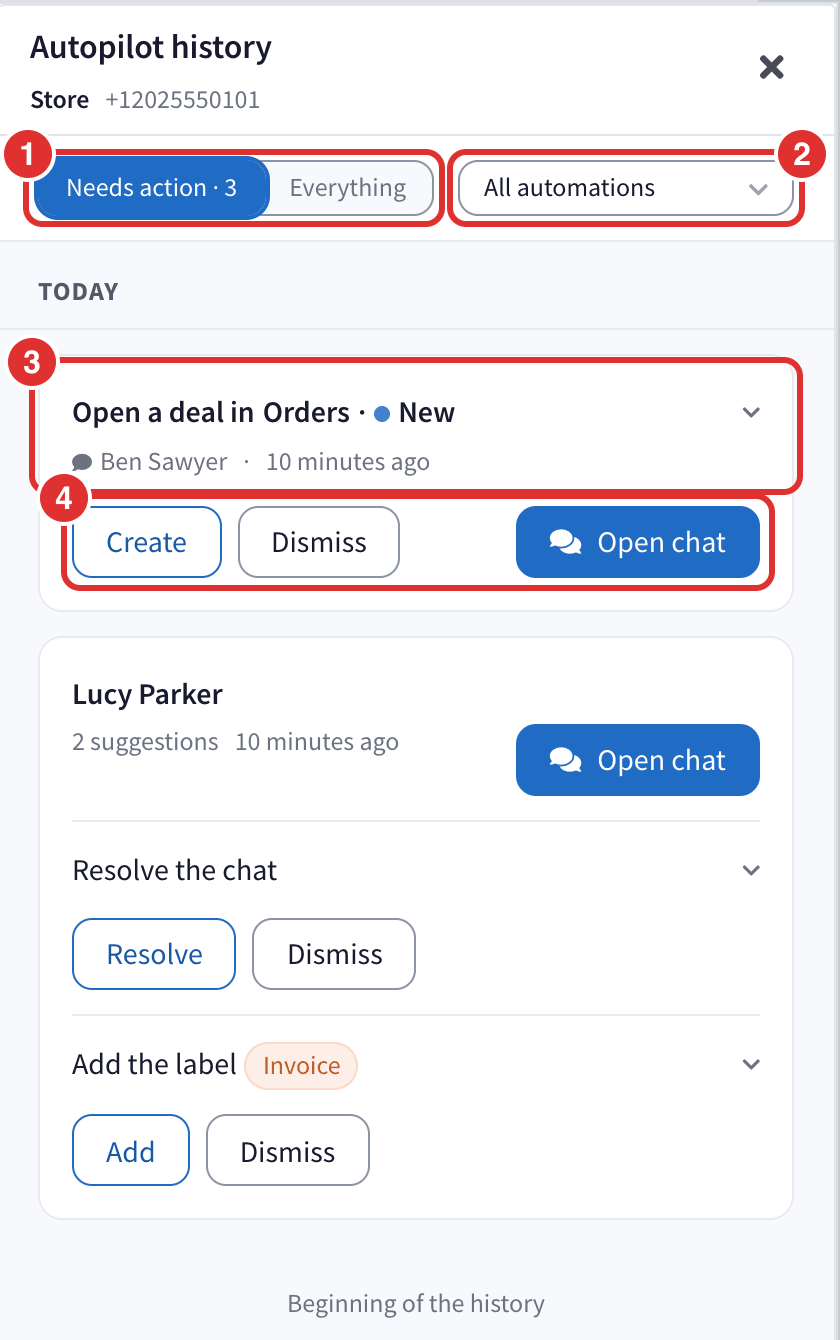
- Needs action and Everything.
- All automations, to see only one of them, for example Label chats.
- Each row: the chat, what the autopilot proposes and when.
- The buttons. They are the same as in the chat, in one word: Add, Remove, Keep, Assign, Resolve, Create, Fill, Apply and Dismiss. Open chat takes you to the conversation.
A reply draft cannot be applied from here: open the chat to read it before it goes into the message box.
When something was accepted but part of it could not be done, do it by hand and click I already did it by hand, so it leaves the list.
Everything
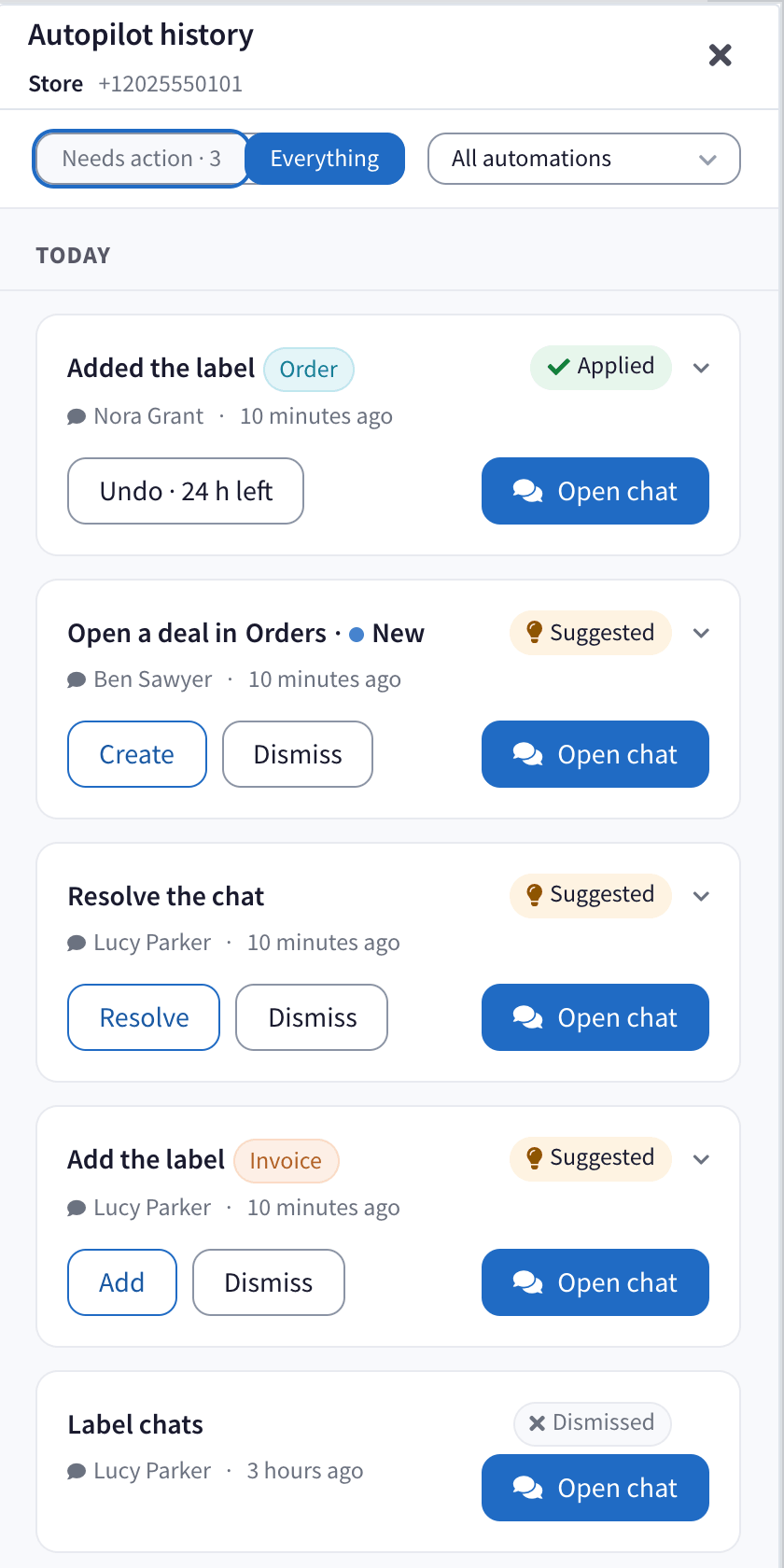
Everything lists every row, day by day, with a word for what happened to it:
- Applied: the autopilot did it on its own.
- Suggested: nobody has decided yet.
- Accepted, Dismissed or Undone, with who did it on the line below.
- Failed to apply, or Done by hand once someone did it themselves.
- Outdated: the chat moved on before anyone decided.
- Changed since: someone changed the chat after the autopilot, so its change could not be undone.
Undo from the history
A change the autopilot made on its own has Undo for 24 hours, with the time left, for example Undo · 5 h left. When it changed several things in the same chat, Undo all reverses them together after asking you.
After you undo something it did on its own, the row offers Stop doing it automatically. Click it and that automation goes back to Suggest on this number: from then on it proposes, and someone on your team decides.
Questions
Who can see the history? Anyone who can see the number's chats, on a computer. Each person only sees the rows of chats they can read.
How far back does it go? 30 days.
It says the autopilot is turned off on this number. Every automation of the number is Turned off. Click Go to Decisions to choose what it does.
A suggestion says Outdated. The customer wrote again, or someone changed the chat, before anybody decided. The autopilot reads the chat again with its next message.